ade Agentic Data Engineering

Use cases

Short videos of what ADE does today, each starting from a question. Synthetic or demo data, and an honest status on every one.

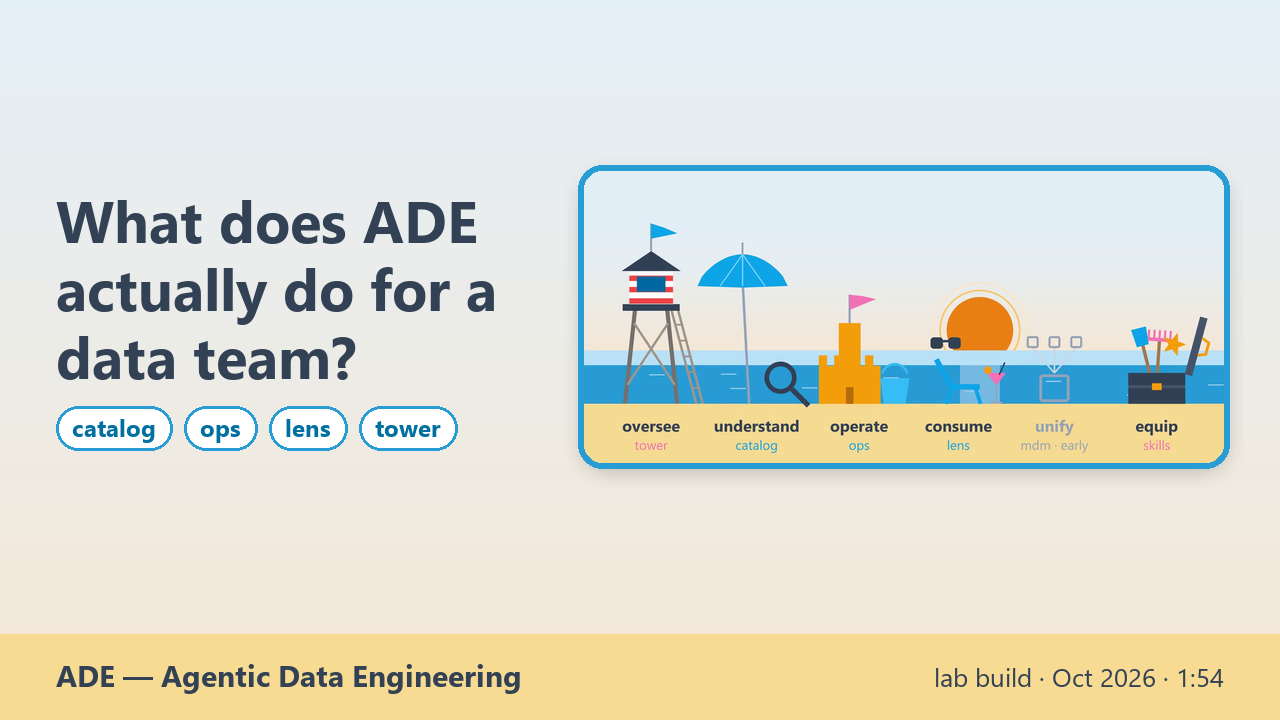
What does ADE actually do for a data team?

lab build · Oct 2026 The family end to end

What a data team's routine work looks like when agents do it. You talk, in plain words; AI agents do the work, under rules you set, and a person approves every change. Five activities, each shown on real screens from the family's own use cases. Analyse: ade-catalog reads the estate and draws the lineage, down to each measure with its expression intact. Build: from a conversation, ade-ops writes the Databricks notebooks and builds the Power BI report on top, under gates a person sets. Diagnose: every number is checked against the source engine, what differs is declared, and ade-tower flags a deploy that reported success on a stale model. Find: ade-lens takes a plain question, opens the right report on the right page, and answers with a trust badge and the query behind it. Manage: ade-tower puts every repo's work on one board, shows whose court each item is in, and answers who holds the ball, traced to the ticket notes. The agents execute; people approve; every step is traced.

More →

ade-catalog · understandade-ops · operateade-lens · consumeade-tower · oversee
Transcript
  • 0:00 What does ADE actually do for a data team?
  • 0:05 You talk. AI agents do the routine work of a data team, under rules you set, and a person approves every change
  • 0:19 Analyse (ade-catalog · understand): What do we have, and where does each number come from?
  • 0:22 Ask, and the agent reads the estate: which files feed which tables
  • 0:30 Down to each measure: the tables it reads, the expression intact
  • 0:35 Build (ade-ops · operate): Can it produce the real thing, not just a draft?
  • 0:39 From a conversation to real artifacts: the Databricks notebooks…
  • 0:44 …and the Power BI report on top, under gates a person sets
  • 0:50 Diagnose (ade-ops · ade-tower): Did it really work, or did it just say ok?
  • 0:54 Every number checked against the source engine; what differs is declared
  • 1:00 A deploy that said ok on a stale model is flagged, not trusted
  • 1:07 Find (ade-lens · consume): Which report answers this, and can I trust the number?
  • 1:11 A plain question opens the right report, on the right page
  • 1:19 The answer arrives with a trust badge and the query behind it
  • 1:25 Manage (ade-tower · oversee): Who holds what, and what is stuck?
  • 1:28 Every repo's work on one board: whose court each item is in
  • 1:34 Ask who holds the ball: the answer is traced to the ticket notes
  • 1:41 You talk. The agents execute. People approve, and every step is traced.
  • 1:41 Every use case, with what it does and what it does not do yet: agentic-data-engineering.vercel.app/use-cases
  • 1:41 ade-catalog live · ade-ops public preview · ade-lens public demo, agent in a lab build · ade-tower lab build · AI voice · synthetic data · recorded 2026-10-18
We decided to move our Qlik apps. How do we prove nothing changed on the way?

lab build · Oct 2026 The family end to end

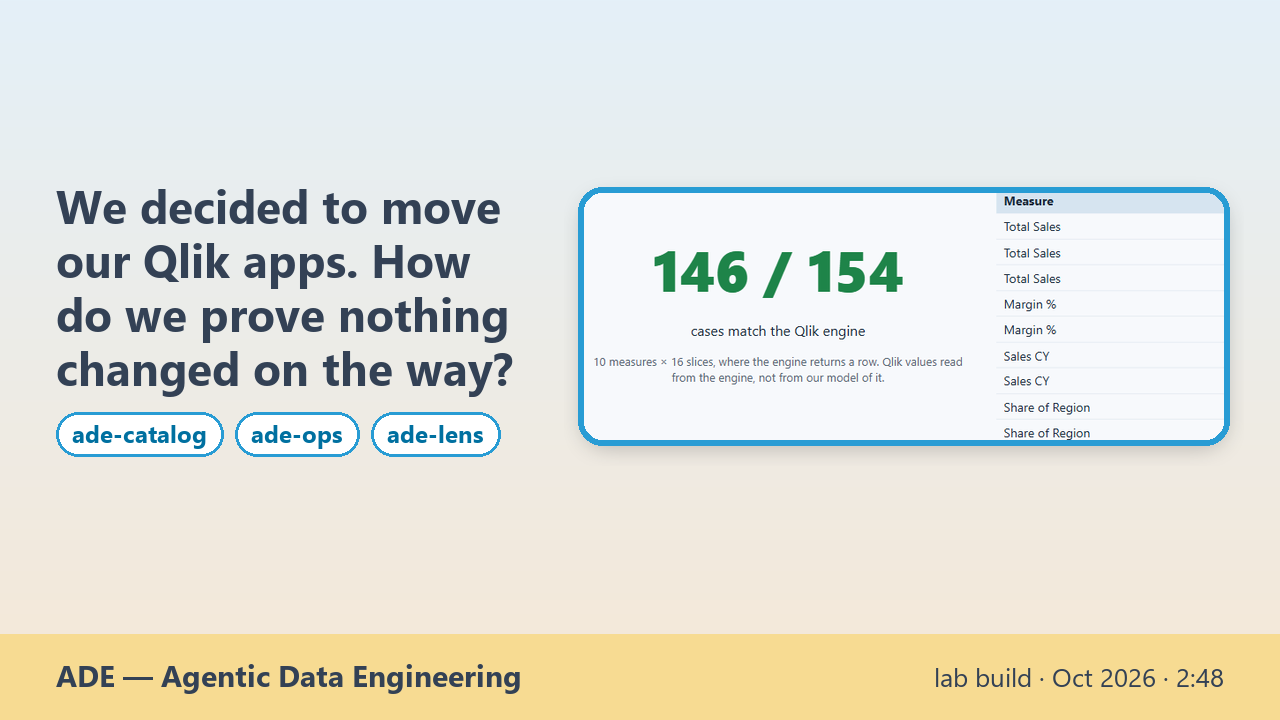
The team has already chosen its target: a Qlik Sense app moves to Databricks for the data and Power BI for the report. The hard part is not rebuilding the report. It is proving that every number survived. The app, built for this demo on synthetic data, uses the expressions that make these migrations hard: set analysis, TOTAL, Aggr and search sets. First, ade-catalog reads the app. From the load script it shows which files feed which tables. It links each Qlik measure to the tables it reads and the KPI it feeds, with the expression intact, and it stores every measure with its fields and sources. Then ade-ops assesses every object and says why it lands where it does: converted by rule, checked by a person, redesigned, or out. Expressions become DAX that keeps Qlik's semantics, and what has no faithful rule is refused and listed, never guessed. The load script becomes Databricks notebooks, the data lands with the same rows, and the Power BI report is generated from the Qlik sheets. Then comes the proof: every translated measure on every slice, read from the live Qlik engine and from Power BI, side by side. 146 of 154 cases match. The other 8 are one Aggr expression that the two engines evaluate differently. The reason is measured and declared, for the business to decide. Last, ade-lens brings the verdict to the people who use the numbers: the divergence is shown as declared, and an agent beside the migrated report explains a KPI from the model. Here that KPI is "Customers above margin target", 27 of 60, and the agent shows the DAX it ran to check it.

More →

ade-catalog · understandade-ops · operateade-lens · consume
Transcript
  • 0:00 We decided to move our Qlik apps. How do we prove nothing changed on the way?
  • 0:05 The starting point: a Qlik Sense app built for this demo on synthetic data, live in Qlik Cloud
  • 0:19 Behind the figures: set analysis, TOTAL, Aggr, search sets
  • 0:29 ade-catalog reads the app's load script: which files feed which tables, and the app holding them
  • 0:40 ade-catalog links each Qlik measure to the tables it reads and the KPI it feeds, expression intact
  • 0:50 One measure as ade-catalog stores it: expression, fields read, sources, where it is shown
  • 1:01 Every object gets a tier and the rule that decided it: auto, assisted, redesign, out
  • 1:11 Qlik expressions become DAX with Qlik's semantics; no rule means refused, never guessed
  • 1:21 The load script becomes Databricks notebooks: the same rows as the Qlik reload
  • 1:29 The Power BI report, generated from the Qlik sheets, on the Databricks model
  • 1:39 Parity: 146 of 154 cases match the live Qlik engine
  • 1:53 The other 8: one Aggr expression the two engines read differently, declared with its reason
  • 2:06 ade-lens shows it for what it is: a declared divergence, not a silent mismatch
  • 2:14 ade-lens: an agent explains each KPI of the migrated report, from the model
  • 2:28 The trail: the DAX it ran, as the user, to reproduce the measure and pin the 35% target
  • 2:36 Checked, not claimed.
  • 2:36 Every number is compared with the live source engine. What has no rule is listed; what differs is declared. The same method runs the other way too.
  • 2:36 ade-catalog · ade-ops · ade-lens · lab builds · AI voice · synthetic data · recorded 2026-10-18
We decided to move a Power BI report to Qlik. How do we prove nothing changed on the way?

lab build · Oct 2026 The family end to end

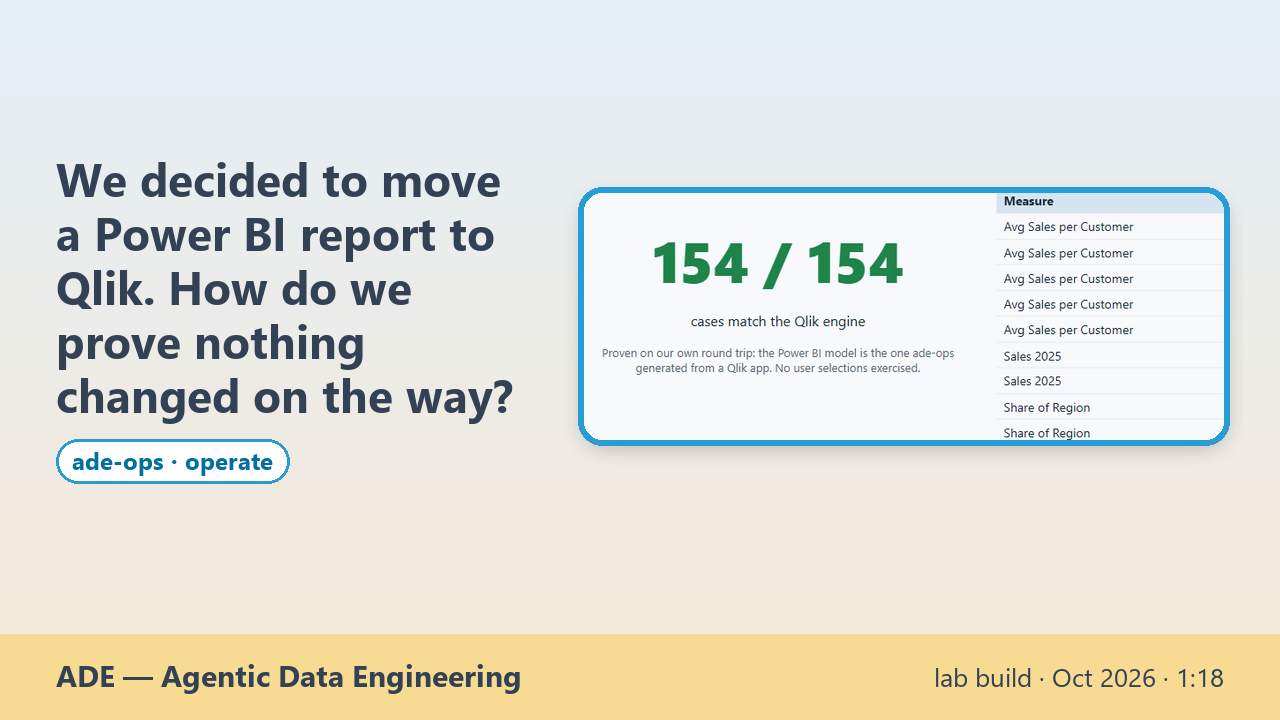
The same method, the other way. The team has chosen Qlik as the target, and a Power BI report has to move there with its numbers intact. ade-ops reads the Power BI semantic model and the report definition: tables, relationships, measures, pages and visuals. Each DAX measure becomes a Qlik expression by rule, with Power BI's semantics kept: a KEEPFILTERS filter becomes an intersection in set analysis, an AVERAGEX over customers becomes an Aggr that takes the chart's own dimensions. What has no faithful rule is refused, with the reason, never guessed. Relationships become Qlik associations, the data is extracted, and a new Qlik Sense app is built with the same sheets. Then the proof: every measure on every slice, the value from the published Power BI model against the value the live Qlik engine returns. 154 of 154 cases match. This was proven on our own round trip: the Power BI model is the one ade-ops generated from a Qlik app, so its DAX is the regular kind our own translator writes.

More →

ade-ops · operate
Transcript
  • 0:00 We decided to move a Power BI report to Qlik. How do we prove nothing changed on the way?
  • 0:06 The setting: a Power BI report on a Databricks model, in a demo workspace. Synthetic data.
  • 0:15 ade-ops reads the semantic model and the report: tables, relationships, measures, pages
  • 0:24 Each DAX measure becomes a Qlik expression by rule, keeping Power BI's semantics
  • 0:37 Proven on our own round trip: what a hand-written model uses is refused, with the reason
  • 0:46 A new Qlik Sense app, built from the report: same sheets, same figures
  • 0:53 The detail sheet: same table, same totals
  • 0:57 Parity: 154 of 154 cases match the live Qlik engine
  • 1:10 The same check, the other way.
  • 1:10 Proven on our own round trip, not on any Power BI report. A Qlik association filters both ways where Power BI filters one way: declared, not hidden.
  • 1:10 ade-ops · lab build, experimental · proven on our own round trip · AI voice · synthetic data · recorded 2026-10-18
Which of our reports answers this?

lab build · Oct 2026 Can a business user trust an answer without opening a dashboard?

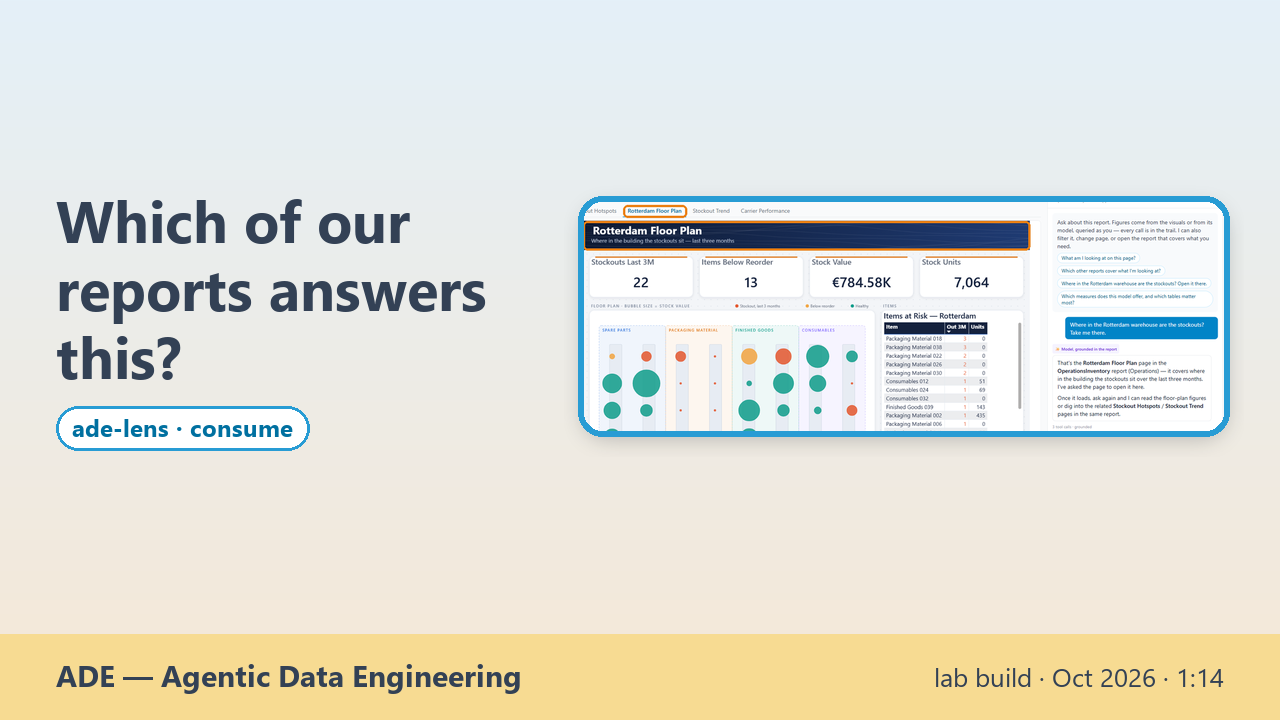
A business user rarely knows which report holds the answer. They only have the question. Here they ask it beside a live Power BI report, and the agent does the navigating. "Which region is behind plan? Show only that one." The answer is East, −8.0% against plan, and the report filters itself through its own slicer, so every figure is read from the page on screen. "Where are the stockouts? Take me there." That answer lives in another report, so the agent opens it, straight on its warehouse floor plan, and its reply names the report and the page it chose. "Which supplier is slipping?" The drop is computed across all 36 suppliers, not picked by eye. Last, the whole report goes to Excel, one sheet per page, as real tables. The answers stand on the reports and models the company already built, used as they are, with the user's own permissions.

More →

ade-lens · consume
Transcript
  • 0:00 Which of our reports answers this?
  • 0:03 A live Power BI report on a demo workspace, an AI agent beside it. Synthetic data.
  • 0:10 “Which region is behind plan? Show only that one.”
  • 0:16 East, −8.0% vs plan — and the report filters itself, through its own slicer
  • 0:22 Every figure read from the page on screen
  • 0:26 “Where in the Rotterdam warehouse are the stockouts? Take me there.”
  • 0:32 Another report, opened straight on its warehouse floor plan
  • 0:37 Its reply names the report and the page, and asks the page to open it
  • 0:43 “Which supplier's deliveries got worse recently? Take me there.”
  • 0:47 Bluepeak Services 07: on time 84.4% → 44.1% — ranked across all 36 suppliers
  • 0:52 “Send me this whole report in Excel.”
  • 0:57 Real Excel tables, as the visuals show them — 4 pages, 25 visuals
  • 1:01 One sheet per page of the report
  • 1:05 You bring the question. It finds the report and opens it on the page.
  • 1:05 Shown on a demo estate of four reports, not hundreds.
  • 1:05 ade-lens · lab build, not yet in the public demo · AI voice · synthetic data · recorded 2026-10-16 and 2026-10-18

Can I trust this number without opening the dashboard?

lab build · Oct 2026 Can a business user trust an answer without opening a dashboard?

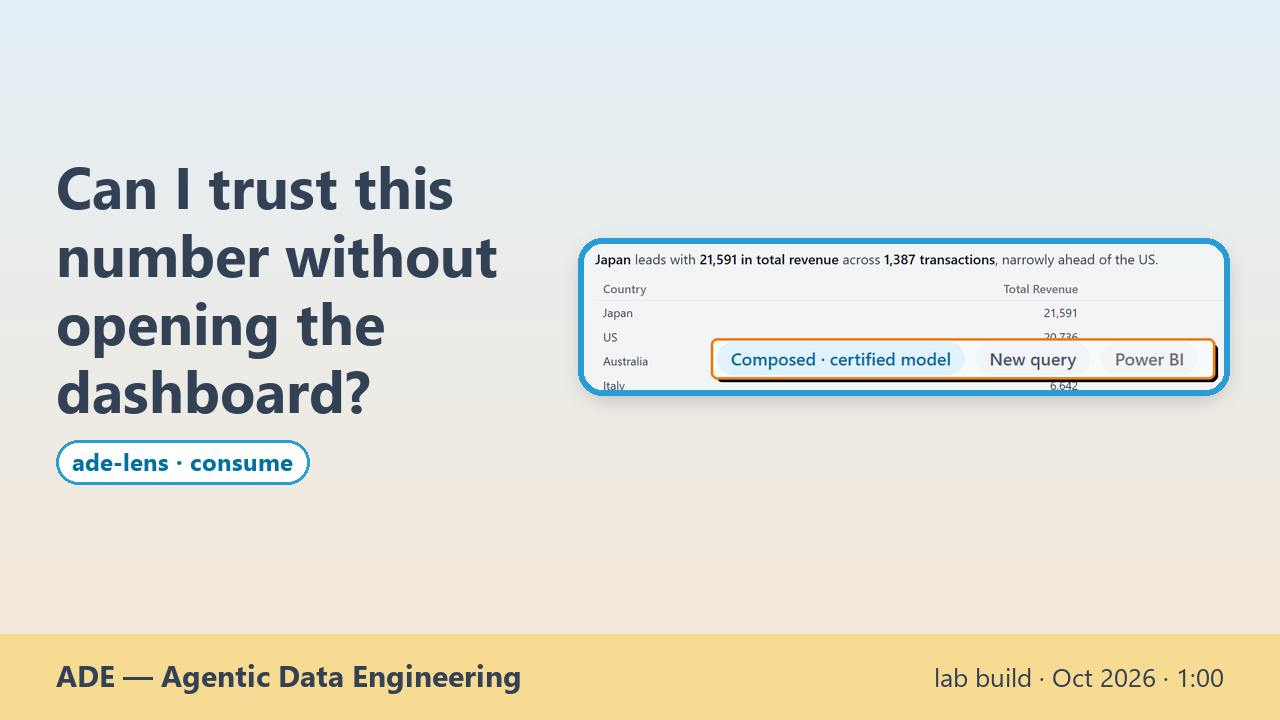
A business user wants a number, not a dashboard. They ask ade-lens in plain words, "In which country do our franchises sell the most?", against a Power BI model that ade-lens's own catalog marks as certified. The answer comes back as a sentence and a small table: Japan, 21,591 in total revenue across 1,387 transactions. It carries a trust badge saying how it was built. Here the badge is "Composed · certified model": a new query composed on the certified model, not one pre-approved measure. One click opens the trail with the exact DAX query the model ran, and the rows it returned are the figures in the answer. The number arrives with where it came from.

More →

ade-lens · consume
Transcript
  • 0:00 Can I trust this number without opening the dashboard?
  • 0:03 A certified Power BI model on a demo workspace. Synthetic data.
  • 0:11 A plain-words question: “In which country do our franchises sell the most?”
  • 0:17 Japan, 21,591 in total revenue, and the answer arrives with a trust badge
  • 0:22 “Composed · certified model”: built on the certified model, not one single certified measure
  • 0:31 Open the trail: the exact DAX query the model ran…
  • 0:37 …to its last clause: TOPN over [Total Revenue] and [Transactions]
  • 0:42 The rows it returned are the figures in the answer: Japan 21591, 1387
  • 0:48 The number comes with where it came from.
  • 0:48 Not yet: provenance stops at the semantic model. The chain back to source columns is not there yet.
  • 0:48 ade-lens · lab build, not yet in the public demo · AI voice · synthetic data · recorded 2026-10-17

What are our Copilot Studio agents doing in production?

lab build · Oct 2026 Who did what, and who answers for it?

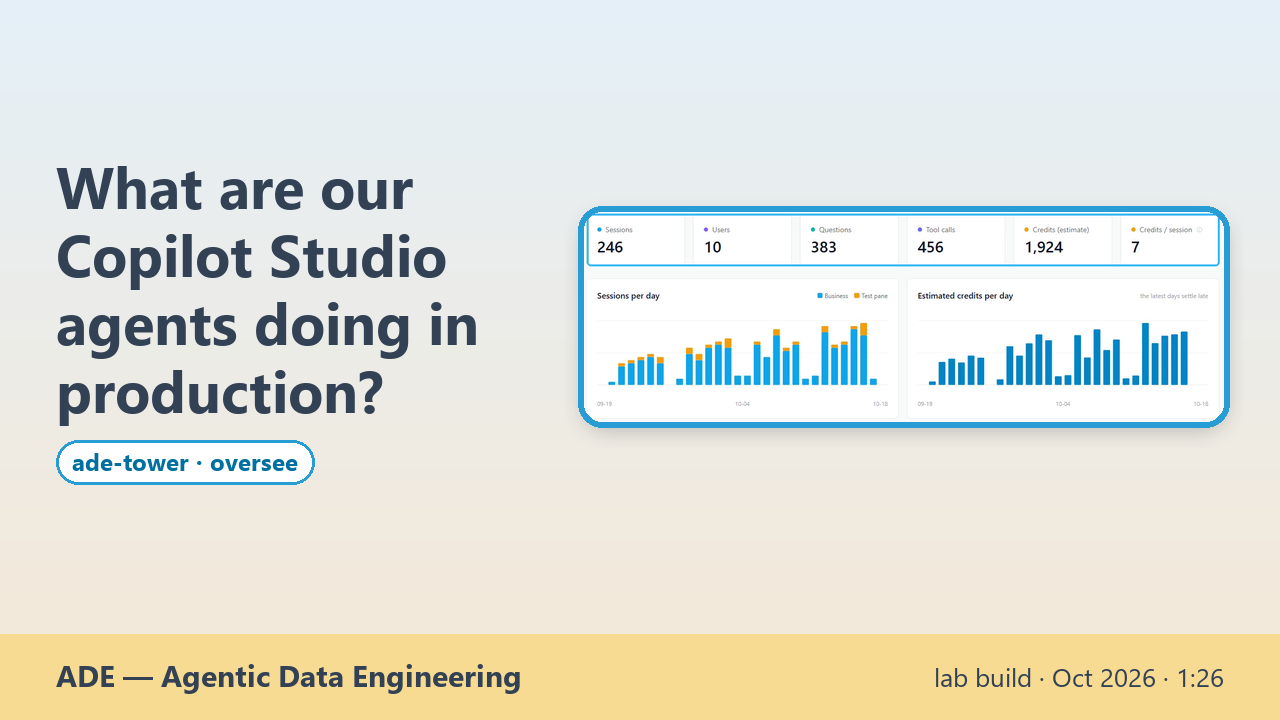
Once a Copilot Studio agent is in production, the questions change: who uses it, what do they ask, what do its tools do, and what does it cost? ade-tower's runtime module answers from the platform's own records, read-only. One view lists every agent with its sessions, users, questions, tool calls and estimated credits, and splits business sessions from test-pane ones day by day. Each tool shows its calls, consent waits, errors, p50 and p95 times, and the connector it really used. The conversations read as a chat: search a word in the questions or pick a user, open one session, and see the tool calls folded under each turn. A sources page says how each figure is read, what it covers and how long it is kept. Where two sources disagree, it says so: here the platform's analytics count no sessions for one agent, and the transcripts do.

More →

ade-tower · oversee
Transcript
  • 0:00 What are our Copilot Studio agents doing in production?
  • 0:04 Agents in production — Usage, cost and tools in one view
  • 0:10 Every agent in production in one view: sessions, users, questions, tool calls, credits
  • 0:19 Business vs test-pane sessions per day, and the credits they cost
  • 0:27 Each tool: calls, consent waits, errors, p50/p95 — and the connector it really used
  • 0:36 What users really asked — Conversations, read as a chat
  • 0:39 Search by a word in the questions, or pick a user
  • 0:44 One session as a chat: questions, and answers as the agent gave them
  • 0:52 Tool calls folded under each turn: time, result size, parameters, consent waits
  • 1:00 Honest about its sources — What each figure is, and what no source gives
  • 1:03 How each figure is read, what it covers, how long it is kept — collected on demand
  • 1:11 Coverage: Analytics counts no sessions for the HR agent — the transcripts do
  • 1:20 Read-only · local · on demand — the data stays where it lives
  • 1:20 ade-tower · lab build, no public release yet · runtime module · AI voice · synthetic data · recorded 2026-10-18
Who is doing what across our agent teams, and what is stuck?

lab build · Oct 2026 How do people and many agents work together without chaos?

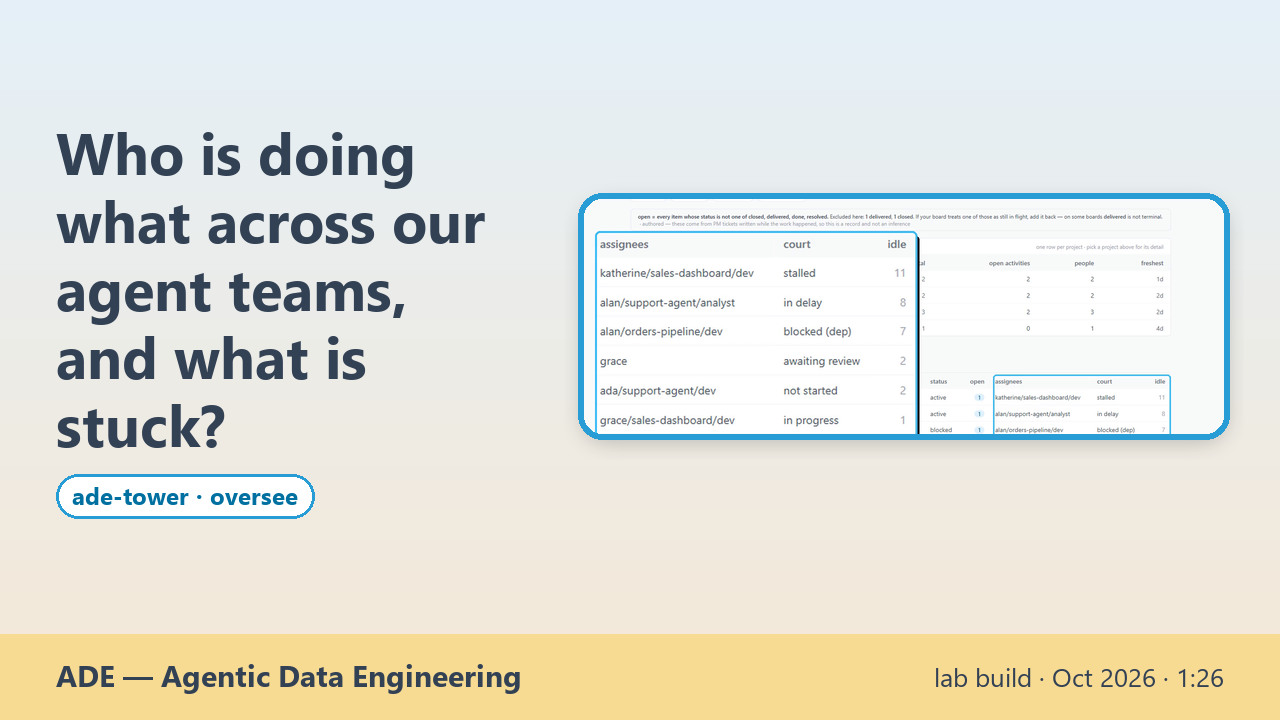
When several people and their AI agents work across many repos, nobody can say who holds what, or what is stuck, without asking around. ade-tower reads what the work already leaves behind and puts it in one view. Every ticket board, from every repo, lands on one board, project by project. Each open item shows whose court it is in: waiting for review, blocked, stalled, late or not started. A timeline is drawn from the dated notes in each ticket, so nothing is typed twice. One person's cockpit shows what they hold and what moved in their projects. Below the work sits what actually ran: commits, deploys and agent sessions, read from git and the ops log, with who, what and when for every event. A deploy that reported success on a stale model is flagged, not trusted. Agents roll up to the person who runs them, and events that no identity resolves stay "unresolved" instead of being guessed. Then you can ask the tower, for example who is holding the ball right now. The answer comes from this record, with each step of the chain traced to the ticket note it comes from.

More →

ade-tower · oversee
Transcript
  • 0:00 Who is doing what across our agent teams, and what is stuck?
  • 0:05 The work — Every ticket board, in one view
  • 0:10 Tickets from every repo on one board, project by project
  • 0:16 Whose court each open item is in: review, blocked, stalled, late, not started
  • 0:26 A timeline drawn from the dated notes in each ticket, nothing typed twice
  • 0:32 One person's cockpit: what Grace holds, and what moved in her projects
  • 0:38 What actually ran — Commits, deploys and agent sessions, read from git
  • 0:41 Events, deploys and sessions per repo, read from git and the ops log
  • 0:46 Every event: who, what, when — people, their agents, their sessions
  • 0:54 A deploy that said ok on a stale model is flagged, not trusted
  • 1:01 Agents roll up to the person who runs them; the rest is shown as unresolved
  • 1:07 Ask the tower — Answers from this record, gaps included
  • 1:10 “Grace holds the ball: one review is gating two other items”
  • 1:15 Each step of the chain traced to the ticket note it comes from
  • 1:20 Read-only · one view over many repos — the work stays where it is done
  • 1:20 ade-tower · lab build, no public release yet · work and delivery modules · AI voice · synthetic data · recorded 2026-10-18